Bringing the Physical Layer Into Everyday Hardware

Everything Analog Guard has built — the PLTNM modulation core, the digital→analog→digital lifecycle, the requirement for cloned hardware and a synchronized analog key to compromise it — was designed to live inside a chip, not just a lab.

Our commercial roadmap starts at the beachhead: government and defense, where the post-quantum threat is most urgent. But the same silicon-level engine that anchors that beachhead, and the OEM / hardware-integration pathway built around it, is small enough and low-power enough to sit inside the devices people already carry and plug in every day.

That is the premise behind our consumer hardware program: take the physical-layer security architecture validated for defense and critical infrastructure and package it into small-form-factor devices that put hardware-rooted, per-device encryption directly in an individual's hands — no algorithm to outrun, no remote surface to attack.

The same physical layer. A pocketable, and an embeddable, form factor.

The Analog Guard USB Security Key

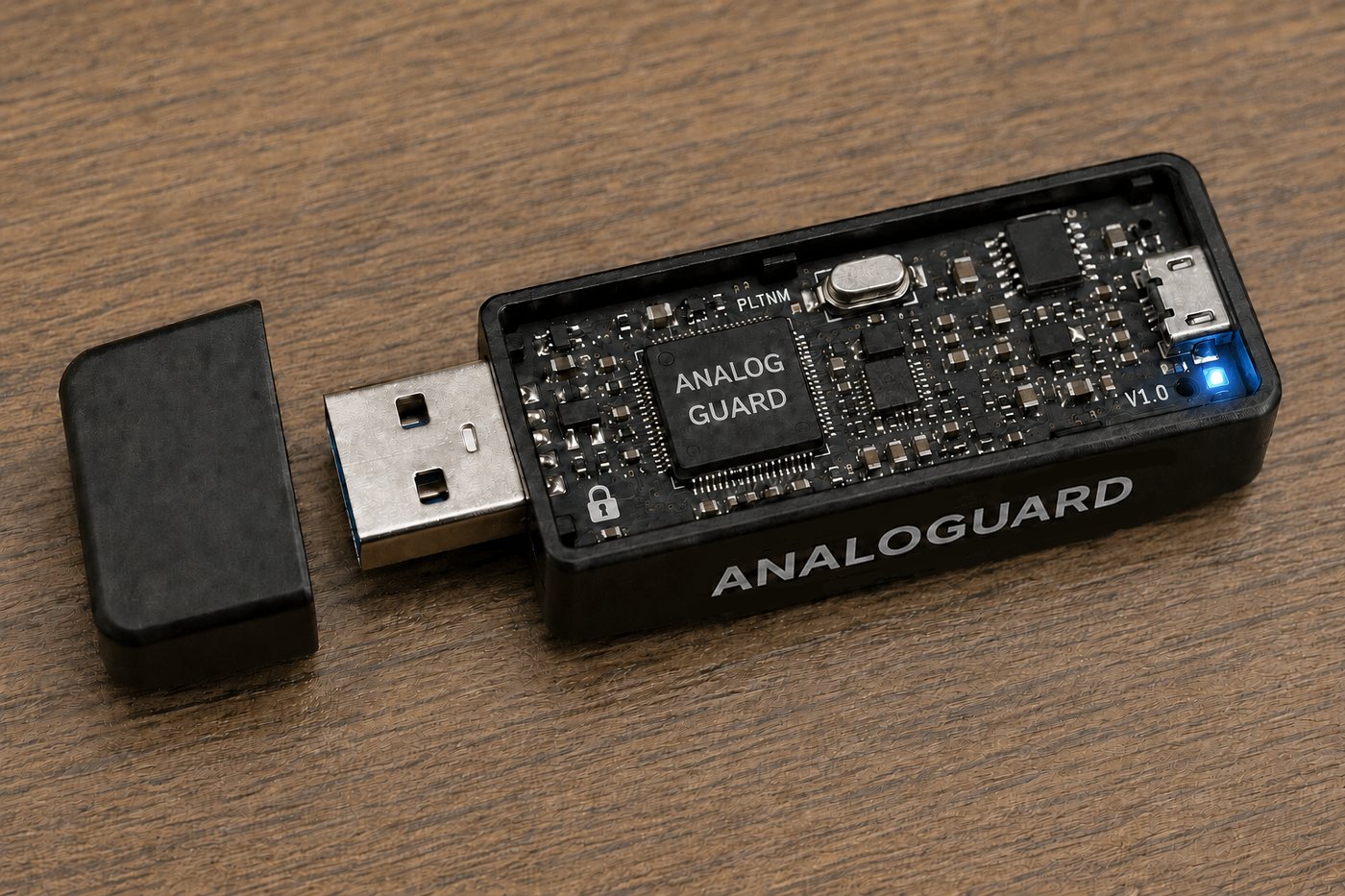
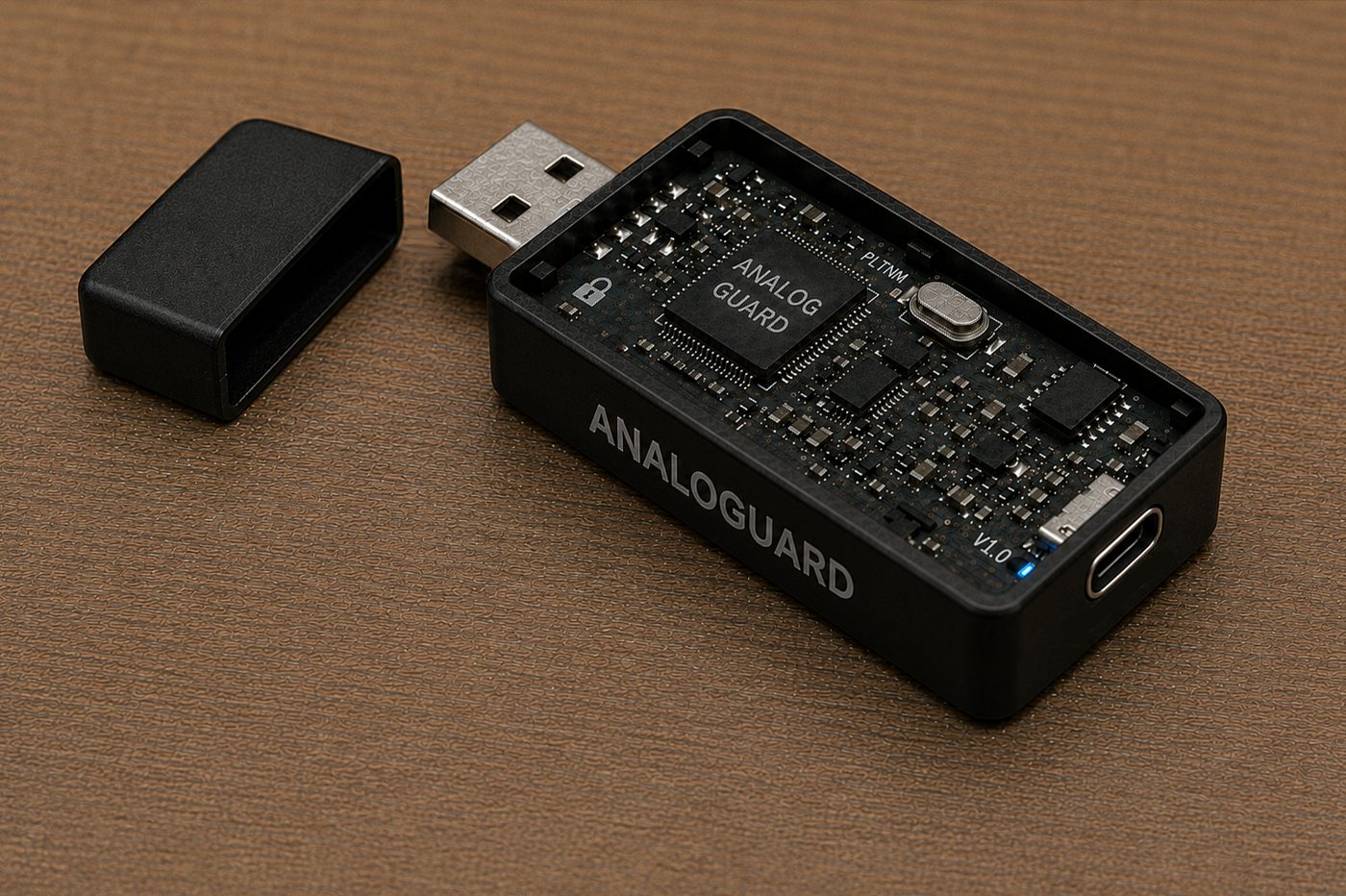
Analog Guard USB security key

The USB key is the most direct expression of the technology: a dedicated PLTNM core, in its own enclosure, carrying its own analog security key. Plug it in, and protection happens inside the device itself — in dedicated silicon, not in software running on the host machine's CPU or OS.

That distinction matters. A host computer can be phished, its OS compromised, its software attacked remotely and at scale. The analog key living inside the USB device cannot — reaching it requires physical possession of the cloned hardware itself, one device at a time, which is precisely the economics Analog Guard is built to force on an attacker.

The status LED shown reflects the intended production design: a live, synchronized analog link between host and key. No link, no recovery path — by design.

Encryption you can hold — and pocket.

The Analog Guard M.2 Security Module

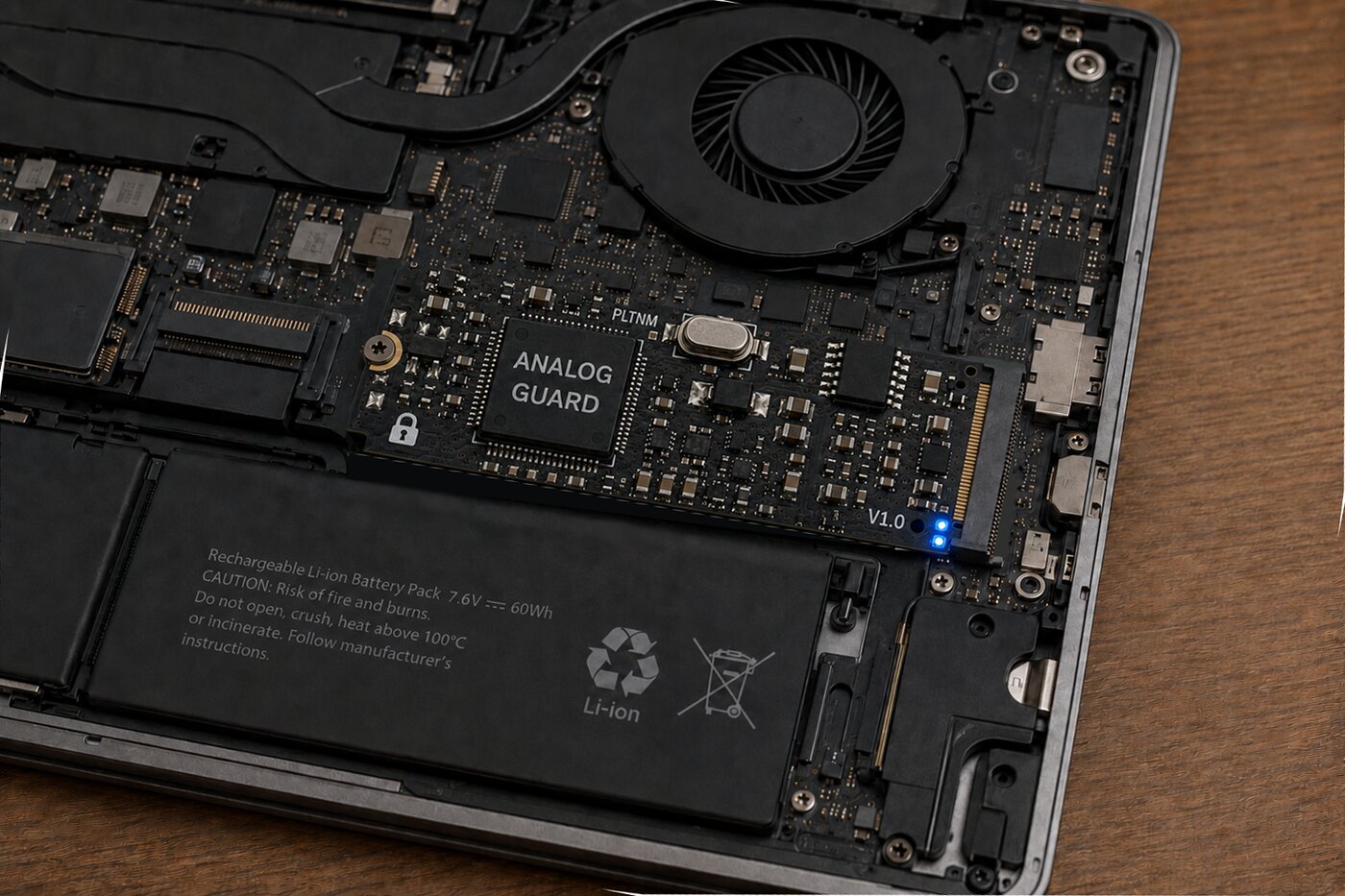
Where the USB key is something you carry, the M.2 module is something your device carries for you. Sized to the same NGFF slot used by consumer SSDs, it sits inline in the storage path of a laptop or desktop, encrypting continuously at the physical layer with no user-facing workflow to learn and nothing to remember to plug in.

This form factor is the clearest expression of Pathway 03 from our commercial strategy — OEM / hardware integration, designed in at the point of manufacture. A device maker builds the M.2 module into the machine itself, and physical-layer protection becomes a standard feature of the hardware, not an accessory the owner has to think about.

The board pictured shows the module's intended production form factor and placement — sized to the same NGFF slot as a laptop's primary SSD. Confirming fit, power draw, and signal integrity in a real chassis is exactly what the discrete-prototype and integrated-circuit stages ahead are built to validate.

Analog Guard M.2 security module, marked V1.0, installed inside a laptop chassis next to the primary SSD

The most secure hardware is the hardware you forget is there.

One Device, Both Directions — With Room for a Digital Layer Underneath

After the Analog Guard application and device drivers are installed, the AG device — USB key or M.2 module — sits transparently between your applications and wherever you're storing data: an internal drive, an external USB drive, or a cloud/virtual drive.

Saving a File

STEP 1 · OPTIONAL DIGITAL LAYER

(Optional) Before it ever reaches the AG device, the file may already be digitally encrypted through whatever software you already use — a password-protected archive, disk-level encryption, an application's own encryption. Analog Guard doesn't require this step, and it doesn't need to know it happened.

STEP 2 · SAVE AS NORMAL

You save the file normally, from whatever application you're using, to any storage location — internal, external, or cloud.

STEP 3 · ROUTE TO THE DEVICE

The AG application intercepts the save and routes the file — digitally encrypted or not — to the AG device before it's written anywhere.

STEP 4 · TRANSFORM

The device converts the file to a high-fidelity analog signal.

STEP 5 · ENCRYPT

The device applies PLTNM modulation using one or more analog security keys that live only inside the device itself.

STEP 6 · ENCAPSULATE

The protected analog signal is re-encapsulated into a standard digital file — and this is the version actually written to your drive or cloud storage.

STEP 7 · AT REST

Whatever lands in storage is, to anything else that opens it, an opaque file with no exploitable structure. The analog key that produced it never left the device, and no digital, extractable copy of that key exists anywhere. If a digital layer was applied in Step 1, it's still there too — sealed inside the analog layer.

Opening a File

STEP 1 · OPEN AS NORMAL

You open the file as you normally would.

STEP 2 · ROUTE TO THE DEVICE

The AG application recognizes it as AG-protected and routes it to the device rather than handing it to your application directly.

STEP 3 · RECOVER

The device runs the inverse process — analog demodulation using the same synchronized key(s), reconstructing the original digital file with no residual bit errors (BER < 10-8).

STEP 4 · BACK TO YOUR APPLICATION

The AG application hands the recovered file back to your application. If a digital encryption layer was applied when the file was saved, the file is now back to that digitally-encrypted state — your normal password or digital key still applies it in the ordinary way to reach the original plaintext.

The two layers work independently and don't interfere with each other. The analog layer is hardware-rooted and physical — it protects the file whether or not a digital layer exists underneath it. Stacking them means an attacker who somehow defeated one layer would still face the other: physical-layer compromise requires cloned hardware and a synchronized analog key, one device at a time; the digital layer underneath still requires breaking the encryption algorithm itself. The same defense-in-depth principle behind Analog Guard's core architecture, applied at the scale of a single file on a single device.

Two Layers, Two Separate Secrets to Deliver

Sharing an AG-protected file with someone else is structurally similar to how encrypted file-sharing already works today — you send the encrypted file over an ordinary channel, and separately send the recipient the key material they need to open it. The difference is what that "key" is, and — if a digital layer is also in use — that there are now two secrets to deliver instead of one.

STEP 1 · START FROM AN ALREADY-PROTECTED FILE

The file being shared is already AG-encrypted, sitting on the sender's storage exactly as described above. If the sender chose to digitally encrypt the file before it went through AG encryption, that digital layer is still intact underneath — the AG layer wraps around it without needing to know it's there.

STEP 2 · SEND THE FILE OVER ANY CHANNEL

Because the AG-encrypted file carries no exploitable digital structure on its own — and, if present, the digital layer underneath adds its own independent protection — it can be sent over any ordinary channel: email, cloud share link, messaging app, the same way you'd send any encrypted attachment today.

STEP 3 · PACKAGE THE ANALOG KEY(S) SEPARATELY

The AG application exports the specific analog key(s) used to encrypt that file into a key-transfer package. This is the artifact that unlocks the physical layer — possessing it, and having a matching AG device, is what lets the recipient's device recover the digitally-wrapped file underneath.

STEP 4 · PROTECT THE KEY PACKAGE IN TRANSIT

The sender's AG device wraps the key package against the recipient's known device identity — the recipient's own AG device, paired and registered ahead of time — so only that specific piece of hardware can unwrap and import it. This mirrors how a symmetric key gets encrypted to someone's public key today; here the wrapping target is a physical device rather than a certificate alone.

STEP 5 · DELIVER THE DIGITAL KEY OR PASSWORD, IF ONE WAS USED

This step has nothing to do with Analog Guard; it's whatever the sender already does today to get a password or digital key to someone securely — a password manager's sharing feature, a key exchanged over a separate channel, or even a PGP-encrypted message. Analog Guard doesn't manage this layer, the same way it doesn't manage it for a single user's own files.

STEP 6 · RECIPIENT IMPORTS THE ANALOG KEY

The recipient's AG application receives the key package and hands it to their AG device, which validates it's an authorized import and stores the key material internally — never exposed in usable digital form to the recipient's operating system.

STEP 7 · RECIPIENT OPENS THE FILE

Their AG application routes the file to their device, which performs the inverse transform using the newly imported key(s) to recover the digital file. If a digital layer was used, the recipient now has that digitally-encrypted file back — exactly where the sender started — and applies the digital key or password from Step 5 the same way they'd decrypt any file today.

Sending the file is unremarkable — it can travel anywhere, insecurely, without consequence, regardless of how many layers protect it. What has to be handled carefully are the secrets that unlock each layer: the analog key through direct, hardware-bound device pairing, and the digital key or password through whatever secure method the sender already trusts for that today.

Encryption You Can Hold, Not Just Trust

Both form factors inherit the same structural advantages that anchor Analog Guard's defense and enterprise positioning — brought down to a scale and price point built for individuals, small teams, and the OEMs who serve them.

NO SOFTWARE TRUST

Hardware-Rooted

The transformation happens in dedicated silicon, isolated from a host OS that can be phished, patched late, or compromised remotely.

NO MATH TO OUTRUN

Physical-Layer Security

PLTNM modulation leaves no discrete mathematical fingerprint — nothing for AI-accelerated or quantum cryptanalysis to model or search.

NO REMOTE SURFACE

Per-Device Compromise Only

Breaking one unit requires physically cloned hardware and a synchronized analog key — not a scalable, one-to-many exploit.

STANDARD INTERFACES

Drop-In Compatibility

USB and M.2 NGFF are interfaces the industry already builds to — no new port, no new standard for OEMs to adopt.

The Path From Prototype to Integrated Circuit

The USB key and M.2 module shown throughout this page depict the planned production hardware — small-form-factor devices built around a dedicated Analog Guard integrated circuit. Neither device has been built or independently tested yet. Getting there follows a defined four-stage hardware path.

  • Discrete-Component Prototype — build the PLTNM core from discrete components on a bench-testable circuit, independent of custom silicon.
  • Extensive Testing — validate performance, recovery accuracy, and stability of that prototype across the USB and M.2 form factors before committing to a chip.
  • Integrated-Circuit Layout — translate the validated discrete design into the IC layout: the actual chip that will ship inside the USB key and M.2 module.
  • Integrated-Circuit Testing — fabricate and test the IC itself, confirming it matches the validated prototype's performance before manufacturable production begins.

The devices on this page show where the program is headed, not where it is today.

Follow the Consumer Hardware Program

Whether you're a device manufacturer evaluating OEM integration, a partner interested in pilot hardware, or simply want to be notified as the consumer program develops, we'd like to hear from you.

Get in Touch